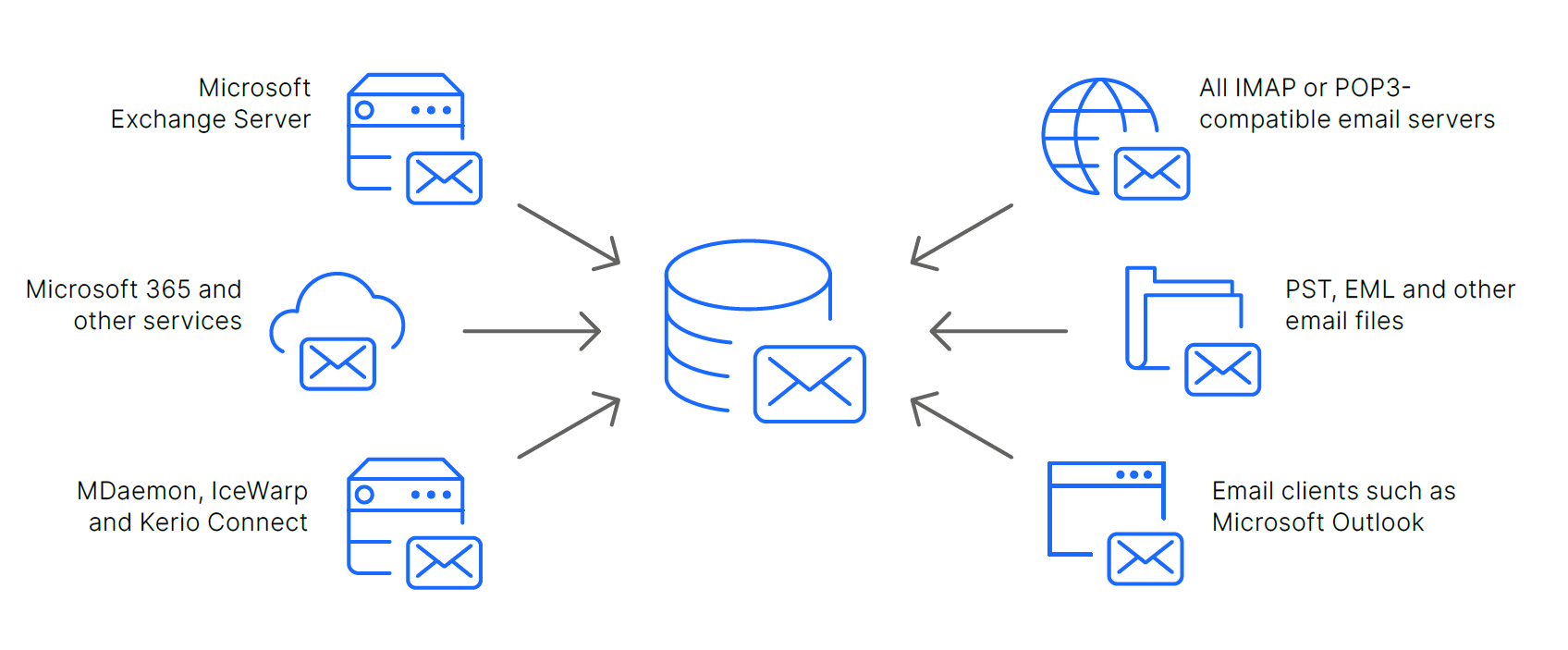
MailStore Server allows you to archive your emails, regardless of which email system you use to store them. This guarantees your company optimum flexibility now and in the future. No changes will be made to your email system during the archiving process and you do not need administrative access.
Footnotes
¹ Microsoft Exchange Server 2007, 2010 and 2013 are no longer maintained by Microsoft. Therefore, we are only able to ensure limited compatibility and thus provide limited technical support for Microsoft Exchange Server 2007, 2010 and 2013. Furthermore, we reserve the right to completely remove support for these products in a future MailStore update.
² All references to Microsoft 365 interchangeably apply to the Office 365 Enterprise plans and other plans that kept Office 365 in their name.
Supported Archiving Methods
Complete Archiving Through Journaling
- You can make sure that all your business emails are archived provided you follow the guidelines for setting up journal archiving (i.e. archiving all email as soon as it is received or sent)
- When a user deletes an email from their mailbox, his email will have already been archived
- This archiving method is available for Microsoft Exchange and for many other email servers (by using the journaling feature or archiving multidrop mailboxes)
Archiving Existing Emails
MailStore Server allows your existing emails to be archived from different sources:
- Archiving of existing mailboxes (single, multiple or all; manual or scheduled)
- Archiving of public folders and shared mailboxes (manual or scheduled)
- Archiving of email clients (e.g. Microsoft Outlook or Mozilla Thunderbird)
- Archiving of PST and other email files
Reduce the Workload of Email Servers
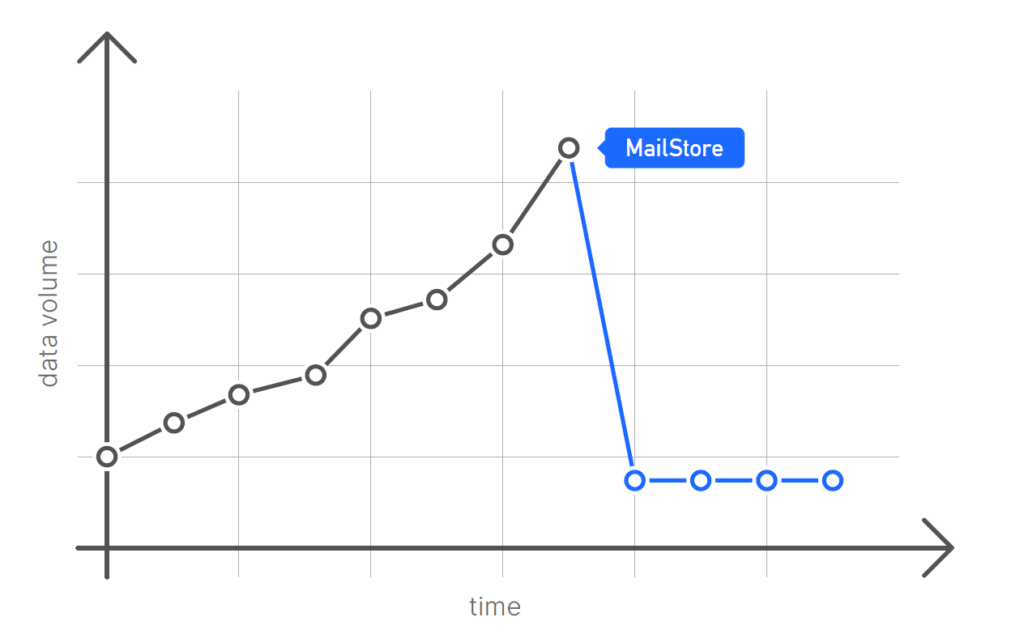
- Emails can be deleted from the mail server’s mailboxes according to a rule-based process once they have been archived
- This allows the workload of the server to be maintained at a consistently low level
More Features
User Administration
- Manual administration
- Active Directory integration
- Generic LDAP integration
- MDaemon, Kerio Connect, and IceWarp integration
- iformerly known as G SuiteGoogle Workspace1 integration
- i All references to Microsoft 365 interchangeably apply to the Office 365 Enterprise plans and other plans that kept Office 365 in their name.
Microsoft 3652 integration - Application integration for any external user database
Folder Structures
- During the archiving process, MailStore Server imports the folder structure set up by the user to the archive
- This makes the solution more acceptable to companies and improves the usability of the archived data
Standards Compliance
- Emails are archived with MIME compatibility, the email standard defined in RFC 822 and its successors
- This helps to meet compliance requirements and ensures that the data can be used outside of MailStore