

Email Archiving and Backup Software

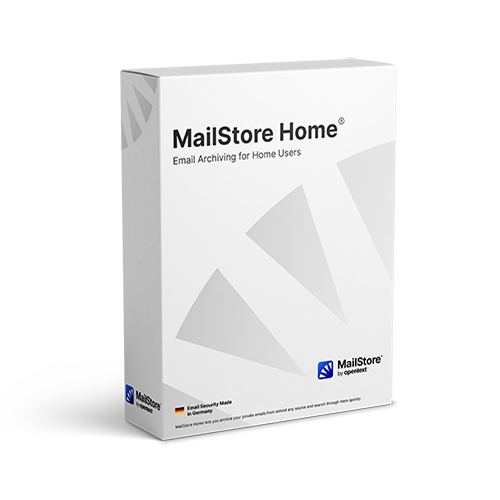
MailStore Home®
Free Email Archiving and Email Backup Software for Home Users

Version 7.0
For Windows XP SP3, Vista, 7

For home users, emails are also a valuable source of information. A large amount of data and important files is saved in the form of emails. With MailStore Home you can backup all emails in a central archive, even if they are distributed across different computers, programs or mailboxes. You can do this either on your PC or on a USB drive as a "portable" option.

This way, you will never lose emails again and can search all of your emails extremely fast. You can still reply to or forward archived emails by opening them with a single mouse click in your standard email program.


MailStore Home Start Page MailStore Home Start Page
Setup of Email Archiving Tasks Setup of Email Archiving Tasks

Advantages

Never Lose Emails Again

Emails can be lost due to incomplete data backup, corrupted PST files or other technical problems. With MailStore Home you will never lose emails again.

A Central Archive for All Emails

Do you use both Gmail and Yahoo! Mail? Are your emails spread across more than one computer? With MailStore Home you can create a single archive for all emails.

Safe Even for Large Amounts of Data

MailStore Home is even able to manage large amounts of data effortlessly. Now both your past and future emails are safely stored.

Extremely Fast Search

MailStore Home has a powerful full-text search feature that can search through large amounts of data and any type of file attachment extremely fast.

Not a One Way Street

All archived emails can be restored from the archive at any time using the handy export feature. This also allows MailStore Home to be used to migrate emails.

One-Click Restore

You can still reply to or forward emails by opening them with a single click in your email program (e.g., Microsoft Outlook). This makes it easy to work with archived emails.


Mobile Email Archive

MailStore Home is also available as a “portable” option and can be launched directly from a USB hard drive on any PC without prior installation. If you prefer to use a USB flash drive instead, be sure to use high-quality device.


"excellent job"
"a good way of keeping emails safe"
"a fine free solution for storing email"
"a very good program"
"the search is exceedingly fast"

Email Archiving for Most Sources

  • Internet mailboxes such as Gmail or Yahoo! Mail
  • Any POP3 and IMAP mailboxes
  • Microsoft Outlook 2000, XP, 2003, 2007, 2010
  • Microsoft Outlook Express and Windows Mail
  • Microsoft Exchange Server 2003, 2007, and 2010 mailboxes
  • Microsoft Office 365 (Exchange Online)
  • Hosted Exchange mailboxes
  • Mozilla Thunderbird and SeaMonkey
  • .EML and other email file formats

Solutions for Companies

In addition to the free MailStore Home Version for private users, we also offer a professional solution for email archiving. MailStore Server is used by thousands of small and medium-sized businesses and combines high-performance technology with low costs, minimal system requirements, and an easy set-up procedure.

Email Archiving for SMB

Free Newsletter

We promise to protect your privacy.


Help und Community

MailStore Home Help
Support Community