
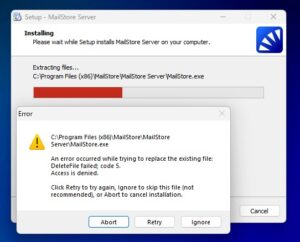
MailStore – Errormessage “An error occurred to replacing the existing file DeleteFile failed; Code 5”
ID: 16104
Summary
If a MailStore Process is running during installation, the file MailStoreServer.dll cannot be replaced.
Cause
A MailStore Prozess (MailStore Client, MailStore Outlook Add-in, e
.g. ) is still running in the background. As long as these processes are active, the installation is blocked.
Solution
Close all MailStore and Outlook processes before retry the installation.
Step-by-step guide.
Open Task Manager
Type ‘Task Manager’ into the Windows search bar
or press Ctrl + Alt + Del and select Task Manager
Under ‘Apps and background processes’, look for:
MailStore Server
MailStore SPE
Close each of these processes:
Right-click → End Task
or select the process → End Task in the top-right corner